Joining an event
There are two ways onto an event. An organiser adds you, and your link just turns up by email (or a code by text, see below). Or someone passes you the shared link.
The shared link
Every event has one shared link: the event's own page. It doesn't let anyone in as anybody, so it's safe to post in a WhatsApp group, a Messenger thread, or an email to twenty people.
Open it and you'll see the event's name and dates, the road with figures but no names, and how many notices are on the board (but not what they say). Underneath: N people on this event. Their names, and what's on the board, are for members.
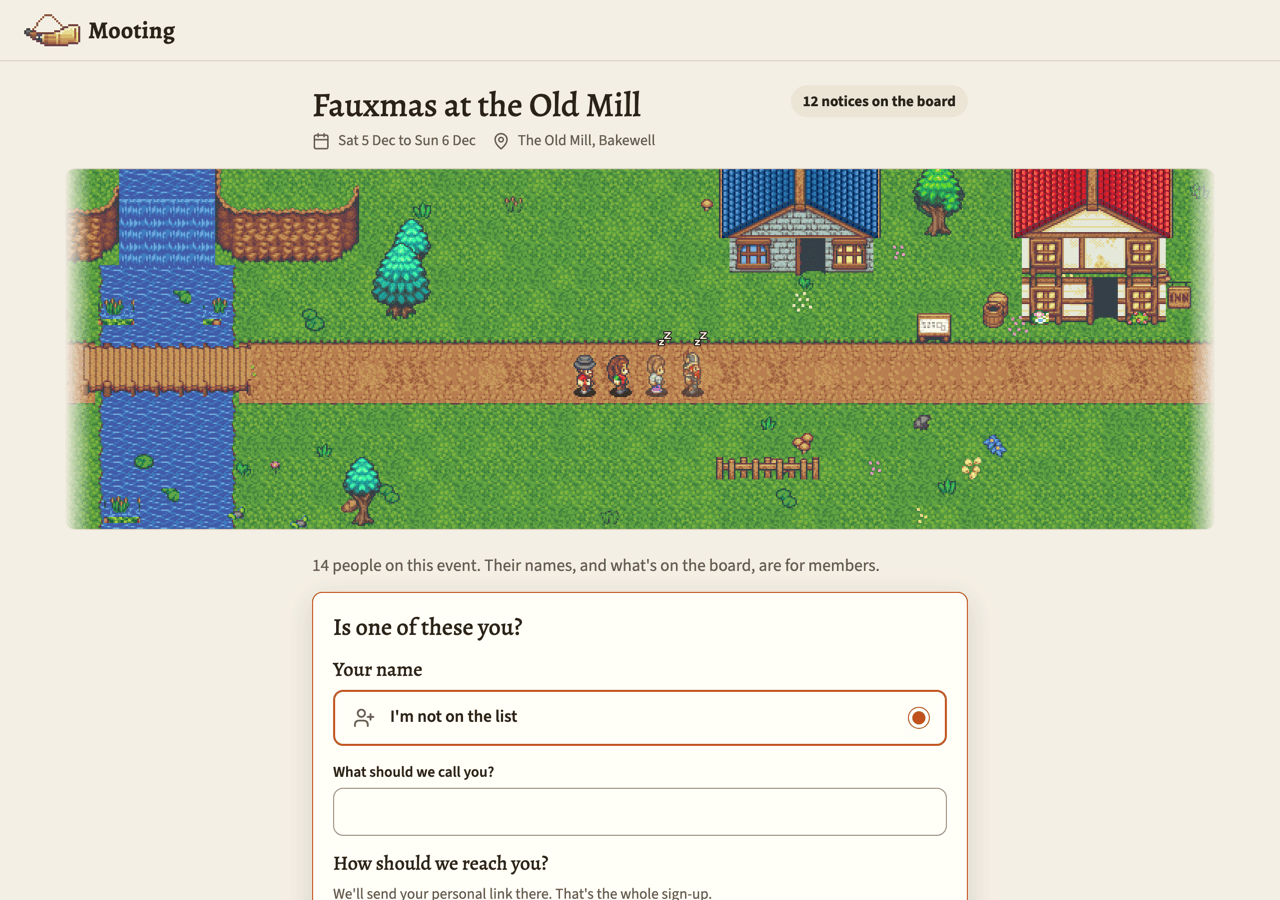
Picking your name
Over the page there's a sheet asking "Is one of these you?"
- You're on the list. If an organiser's already added you but nothing's been sent to you yet, your name's there. Pick it.
- You're not. Choose I'm not on the list and type what you'd like to be called.
Names that are already taken aren't in the list, so nobody can grab one that's in use. A name someone's picked and is waiting to be let in as is held for them too, until an organiser decides.
Picking a name means saying you're that person, so on most events an organiser checks first. Nothing's sent yet. The page says Waiting to be let in and Rachel will let you in; you'll get a message when they do.
When they let you in, your link goes to the number or address you gave, and everything already on the event under that name is yours. If they turn you away, nothing's sent and the name goes back on the list.
If the event lets newcomers straight in, picking your name sends your link right away.
Your link is the check
Next you're asked "How should we reach you?" Pick text message or email, and give the number or address. We'll send your personal link there. That's the whole sign-up.
That's it. No code, no password. The link arriving at your number or address is the check. Press Send me my link and go and open it.
Phone numbers
A number comes in two parts: the country, and the number itself. Pick the country your phone's from, then type the number the way you'd dial it at home (07400 123456 in Britain, 070 123 45 67 in Sweden). Mooting works out the rest.
When it's closed, the picker shows a flag and the dialling code, like 🇬🇧 +44. Open it and you get the countries by name.
Mooting only texts the countries whoever runs it has chosen, so only those are listed, and the picker starts on the first one. Change it if your number's from another. WhatsApp numbers work the same way. If nobody's chosen, every country's listed, and the picker usually starts on the right one because your phone's clock gives it away.
You can also type the number in full, starting with + and the country code. Then the picker's ignored.
If the number doesn't look right for the country, the page tells you: That doesn't look like a valid mobile number for Sweden. Check the country and the number. It's usually the country that's wrong.
It has to be a mobile number. On some Mootings it also has to be in one of the countries Mooting texts, and if it isn't, you'll be told, e.g. Mooting can only send to mobile numbers in the United Kingdom or Sweden right now. An email address works from anywhere.
Already known
If Mooting already knows that number or address, it sends you the link you've already got rather than making a second you, whatever name you picked. The page says We already know that number, so we've sent you the link you've already got. The text says here's your board again, and your old one still works.
Ask several times in a row and you'll be told a link's already gone there recently. Check your messages.
Your first text
The first text Mooting ever sends you says who you are to it and what it is (Hi Kate, you've joined Fauxmas 2026 on Mooting), and gives you a code to get in.
A code instead of a link
Phone networks often block texts with links in them, so Mooting never puts a link in a text. It texts you a 6-digit code instead. Go to mooting.app, tap Got a code?, and type in your number and the code. The page after you join says so too.
Asking to join
Most events have organisers approve newcomers. If you weren't on the list, your link still comes straight away, and the next page says Rachel still needs to let you in, and you'll get a message when they do. Until then, the board says:
You've asked to join. An organiser will let you in.
When they let you in, you get a short message saying so, with your link, and the board opens up. Organisers see the queue on their People page under the name you typed (never your number or address), and can let you in or turn you away.
Some events let newcomers straight in, in which case there's no waiting.
Added by someone who already has your number
If an organiser adds you by typing a number or address Mooting already knows, you're not just dropped onto the event. You get a message on that contact, and next time you open your link the event asks:
Rachel added you to Fauxmas. Do you want to join?
Yes, I'm in puts you on the event and opens the board. No thanks takes you off it, and that's the end of it. Nothing else about you changes, and your other events aren't touched.
Until you answer, the organiser's People page just shows the name they typed when they added you, and You invited them by text. Not your own name, figure or number, because you haven't said yes yet. Nothing on their side can answer for you. They can take the invitation back, which doesn't tell you anything and leaves you exactly as you were.
Just looking
Just looking drops the sheet away and leaves a small bar at the bottom of the page: Looking around? Find your name. Have a look around for as long as you like without giving anybody your number. You'll still only see figures and a count, and no names except the ones waiting to be claimed.